10 9. Audio: a vocal chop, warped
You’ll have: an Audio track with a vocal phrase warped to 122, landing at the top of the breakdown, with two chops answering it off the beat.
10.1 Say
Bring in a vocal sample, warp it to the tempo, and place two chops in the breakdown on the off-beats.
10.2 What Claude does
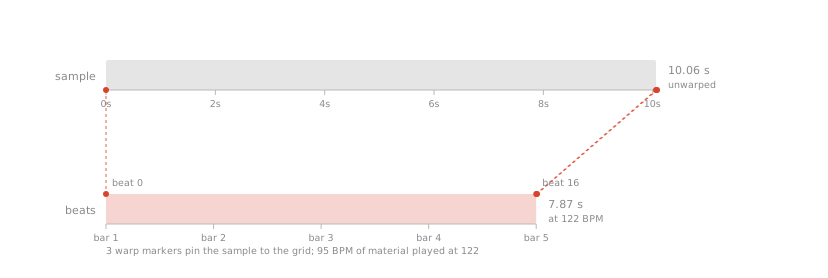
Finds a vocal in Live’s browser (or uses the file you name) and loads it — and a sample doesn’t land on a track the way a device does, it lands in whichever clip slot is highlighted. So Claude highlights the slot it wants first; otherwise your vocal turns up in whatever scene you were last looking at. It sets the warp mode to Complex Pro, which is what a voice needs when it’s being stretched this far, writes the warp markers so the phrase is exactly four bars, cuts a two-beat chop in the next slot, then places the phrase and two chops in the breakdown.
10.3 What you’ll see in Live
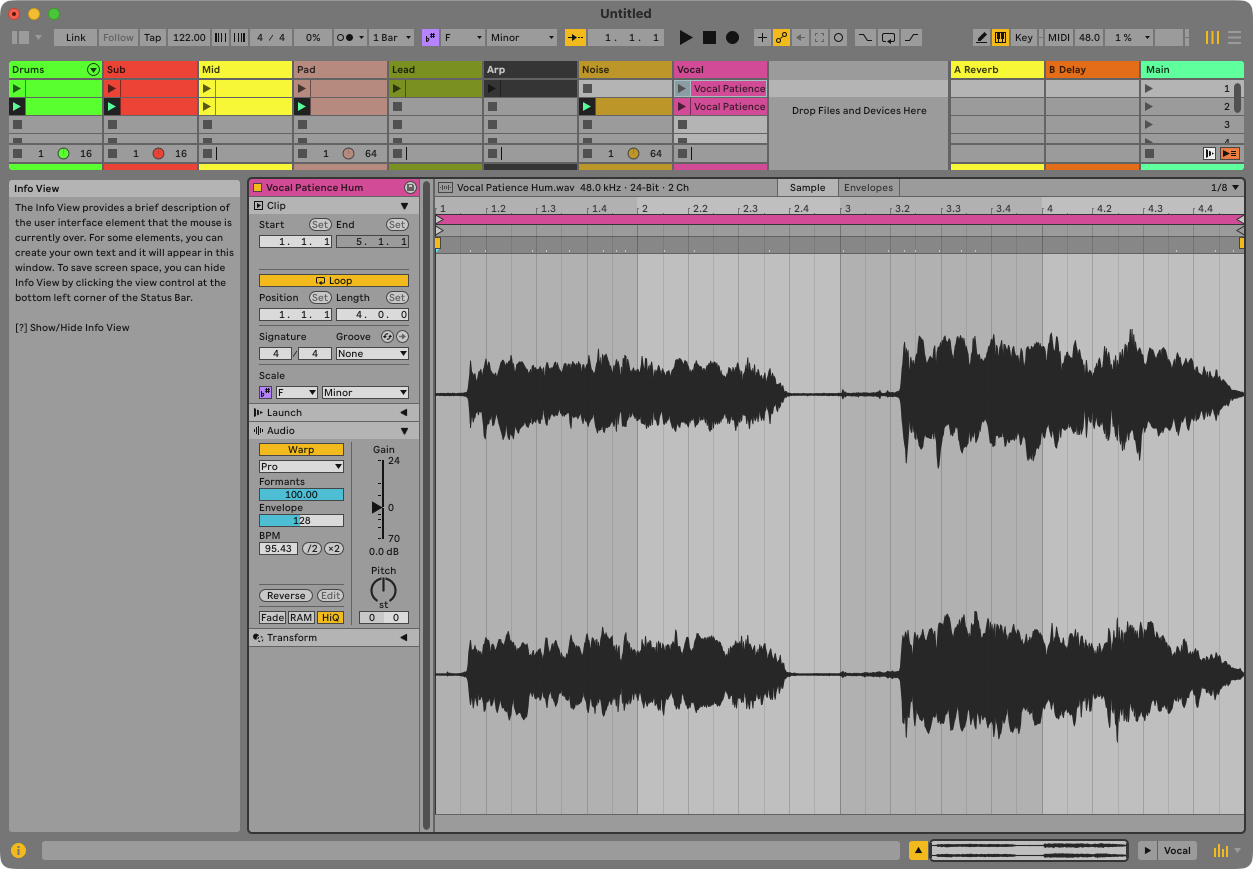
An audio track with a waveform clip, Warp on, mode Complex Pro, and markers at the start and end of the phrase — plus a third Live won’t let go of, a hair past the end, where nothing plays. In the Arrangement, three clips inside the breakdown: the four-bar phrase, then two chops half a beat late.
10.4 Check
Ask: “is the vocal warped, and where are the markers?” — warped, Complex Pro, three markers, the last of which Live refuses to delete. Play the breakdown: the vocal lands on the grid at 122, sped up from its own 95.