9 8. Arrangement: the whole track
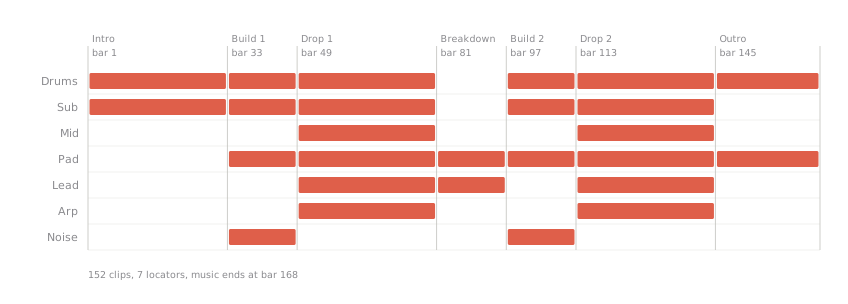
You’ll have: the Session clips laid into the Arrangement as a 5:30 track — intro 32 bars, build 16, drop 32, breakdown 16, build 16, drop 32, outro 24 — with a named locator at every section.
9.1 Say
Lay this out as a track: intro 32 bars with drums and sub only, build 16, drop 32 with everything, breakdown 16 with pad and lead, build 16, drop 32, outro 24. Put a locator at each section.
9.2 What Claude does
Tiles the four-bar loops across every section — 152 clips for this arrangement, eight copies to fill each 32-bar drop — and drops a locator at every section boundary.
9.3 What you’ll see in Live
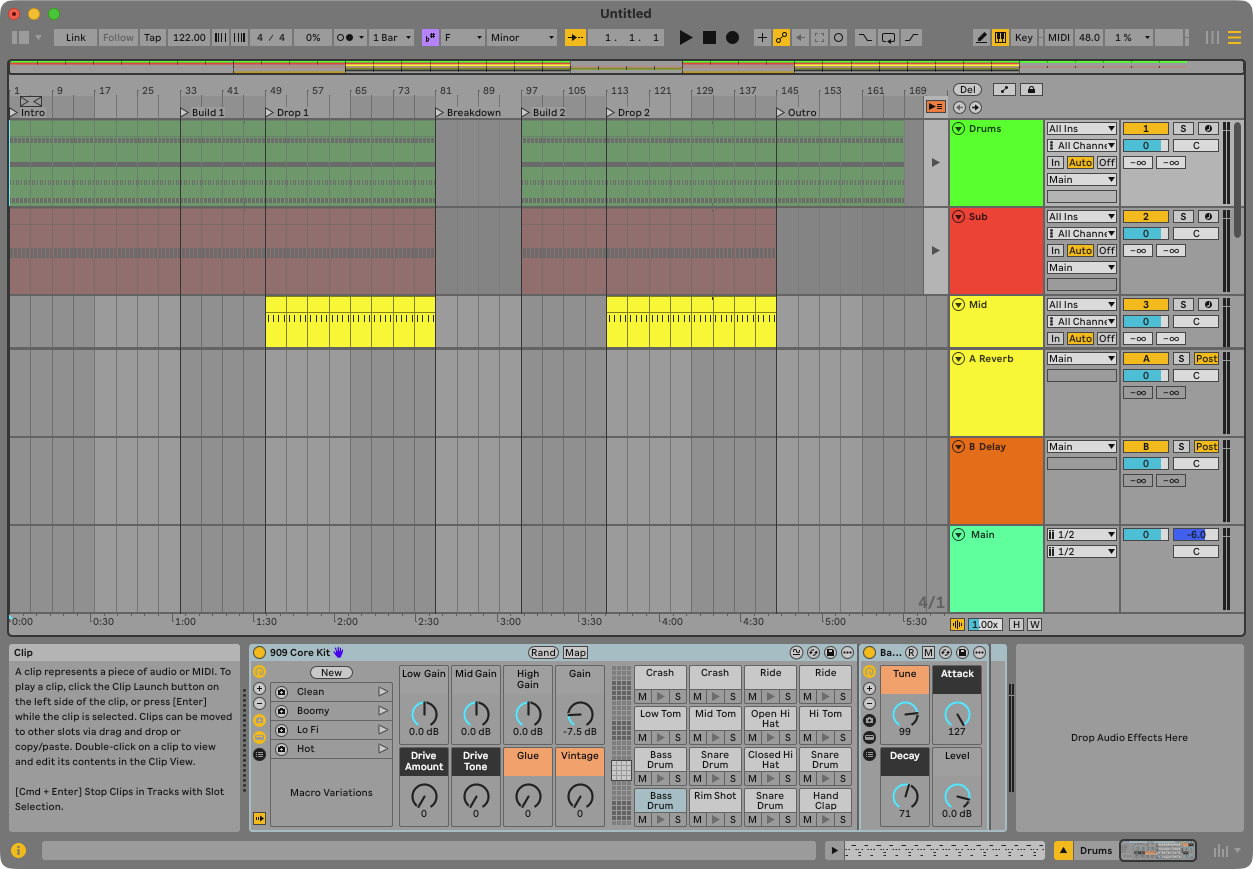
Switch to Arrangement view (Tab): seven sections of clips, the drops full, the breakdown thin, and seven locators along the top. The drums run unbroken from the first bar to the last except bars 80–96 — the breakdown, the one place the track opens up. Press play from the start.
9.4 Check
Ask: “how long is the track and how many locators are there?” — the last clip ends at bar 168, and 7. If you ask Live’s own song length you’ll hear eight bars more: Live pads the timeline past the end of the music, so measure the track by its clips. Ask “how many clips on each track?” — Drums 38, Sub 32, Mid 16, Pad 28, Lead 20, Arp 16, Noise 2. Then: “make the second drop 48 bars” — Claude tiles more copies. You can move a looped clip’s start and end markers, but not the point where it stops on the timeline; that one is a drag in Live, and Claude will tell you that’s why it tiles.
Claude places things by bar and beat assuming the whole track is in one meter — Live’s API doesn’t expose where a meter change happens. If your track changes time signature, place things after the change yourself.