3 2. Drums: the kick is the clock
You’ll have: a Drums track with a 909 kit and a four-bar groove — kick on every beat, clap on 2 and 4, open hats off the beat, closed hats on 16ths with a little movement — looping.
3.1 Say
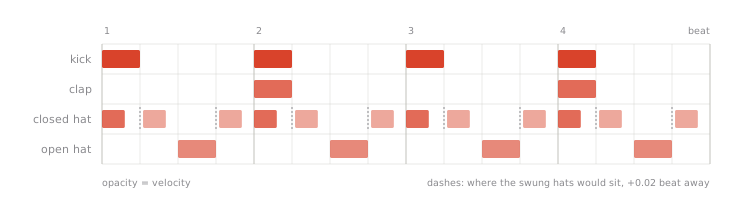
Make a Drums track with a 909 kit. Kick on every beat, claps on 2 and 4, open hats off-beat, closed hats on 16ths with a little velocity movement. Four bars, then loop it.
3.2 What Claude does
Creates the track, finds a 909 kit in Live’s browser and loads it, clears the four tracks the new Set came with, creates a four-bar clip, writes the whole pattern in one go, then reads it back and nudges the in-between 16ths a hair late for swing. Live’s own Swing control won’t do that: it swings what you record, and leaves notes already in a clip where they are.
3.3 What you’ll see in Live
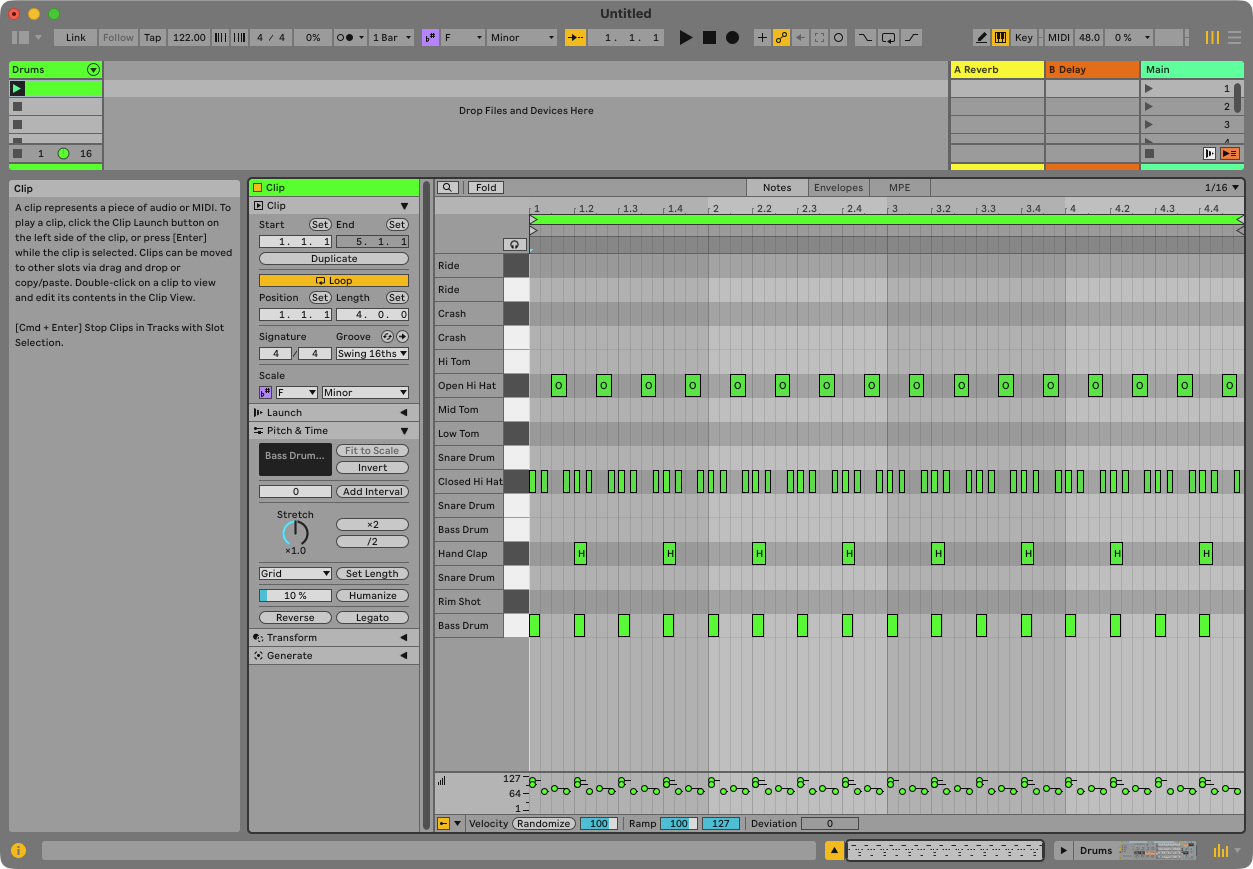
A track named Drums with the kit in its device chain, and — once the empty default tracks are gone — the only track in the Set, with a clip in scene 1. Open the clip: the kick row on every quarter, claps on 2 and 4, the open hat on every off-beat, and the closed hat on the other three 16ths of each beat, taller on the beat than between them.
3.4 Check
Ask: “how many notes are in the drum clip?” — 88 for this pattern: 16 kicks, 8 claps, 16 open hats, 48 closed. The closed hat sits out wherever the open hat plays; two hats on the same 16th is mud, not groove. Play it and listen for the off-beat open hat.
Everything else in Live is a thing Claude reads and writes by name. MIDI notes are the exception: they go in and come out through note tools built for them, which is why Claude can edit velocities in place afterwards.