2 1. Orientation: tempo, key, and what’s in the Set
You’ll have: a fresh Set at 122 BPM in F minor, and a habit — asking Claude what exists before asking it to change anything.
2.1 Say
Set the tempo to 122 and the key to F minor. Then tell me what’s in this Set.
2.2 What Claude does
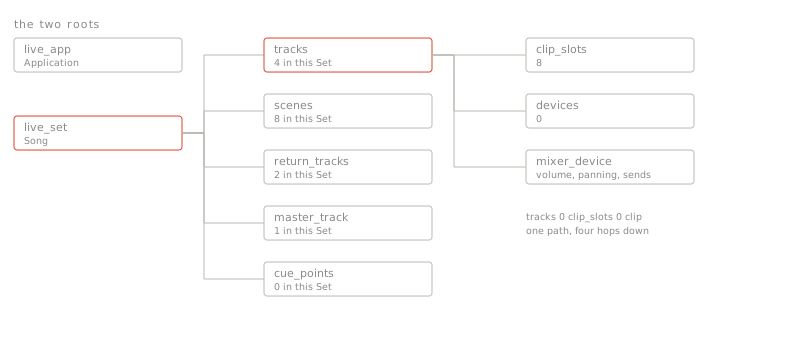
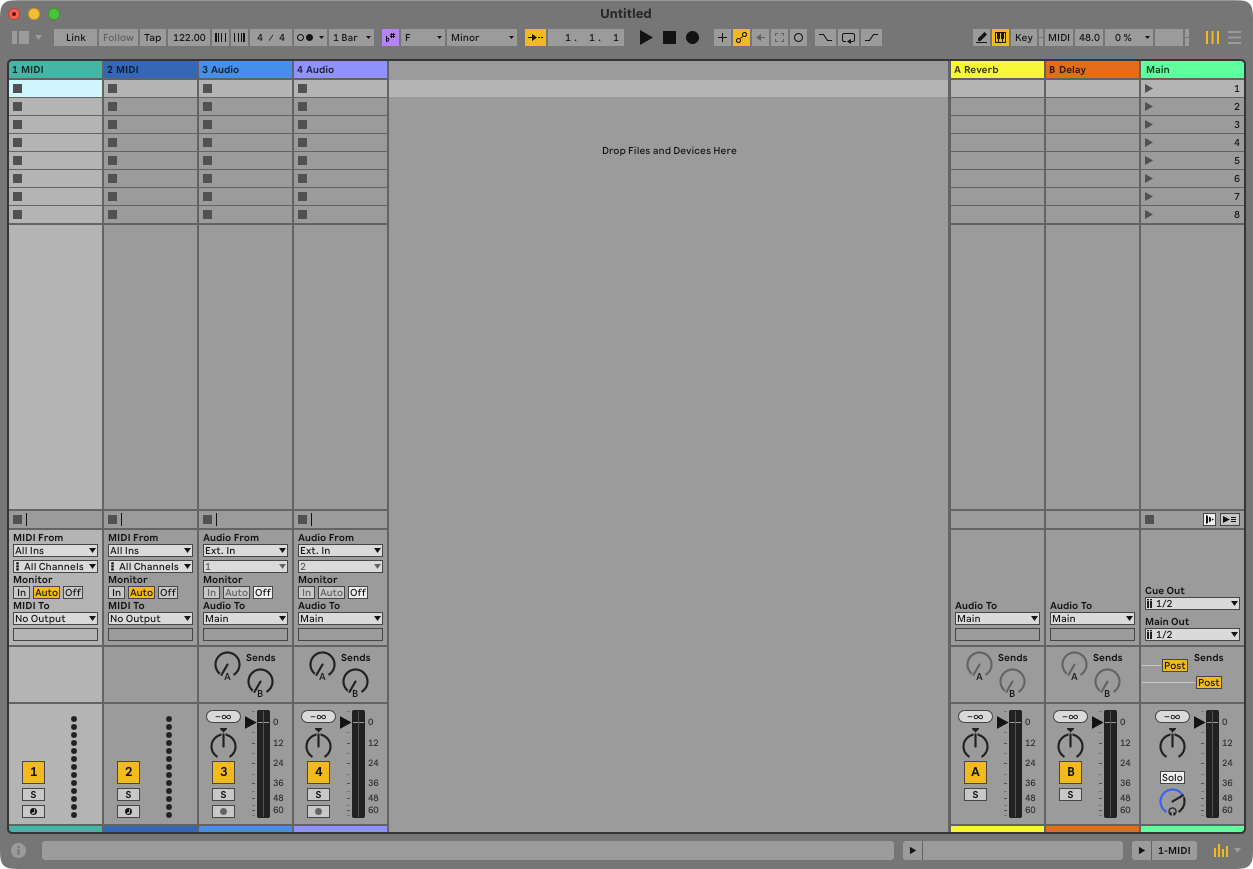
It writes the tempo and the key straight into the Set, then reads the Set back and describes it: the tracks, the scenes, the return tracks, the master. A new Set has two MIDI tracks, two audio tracks, eight scenes, two returns. Ask about a brand-new MIDI track and Claude will tell you it has no meters to read at all — not even output ones. An empty MIDI track makes no sound, so there is nothing to meter until you put an instrument on it.
2.3 What you’ll see in Live
The tempo display reads 122.00. In the Clip View’s Scale section, once you have a clip, the key is F Minor. Nothing else changes yet.
2.4 Check
Ask: “what’s the tempo, and how many tracks are there?” — you should hear 122 and 4. Then ask it to find every track: it comes back with fourteen answers, not four. The two returns and the Master are tracks too, and each track’s view counts as one as well. If Claude ever answers a question like this without a pause, be suspicious: the pause is it asking Live.
Claude doesn’t know your Set. Everything it says about it comes from reading Live at that moment, and everything it changes is one write to one named thing. That is also why it can tell you exactly what it did.